

Bundle overall
Overview
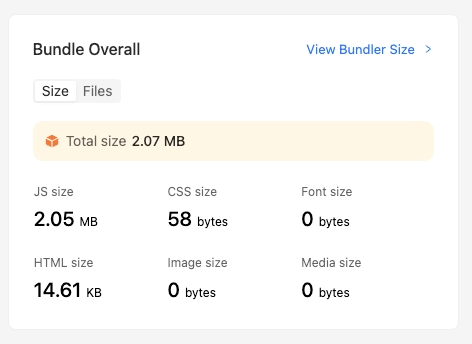
On the homepage of Rsdoctor, we can see a card called Bundle Overall, which provides information about the build artifacts of the current project. The content is shown in the following image:
Glossary
Usage instructions
View bundle artifacts
-
The "TOTAL Size" data on the card represents the total size of the project. Clicking on this number will navigate to the Bundle Size
-
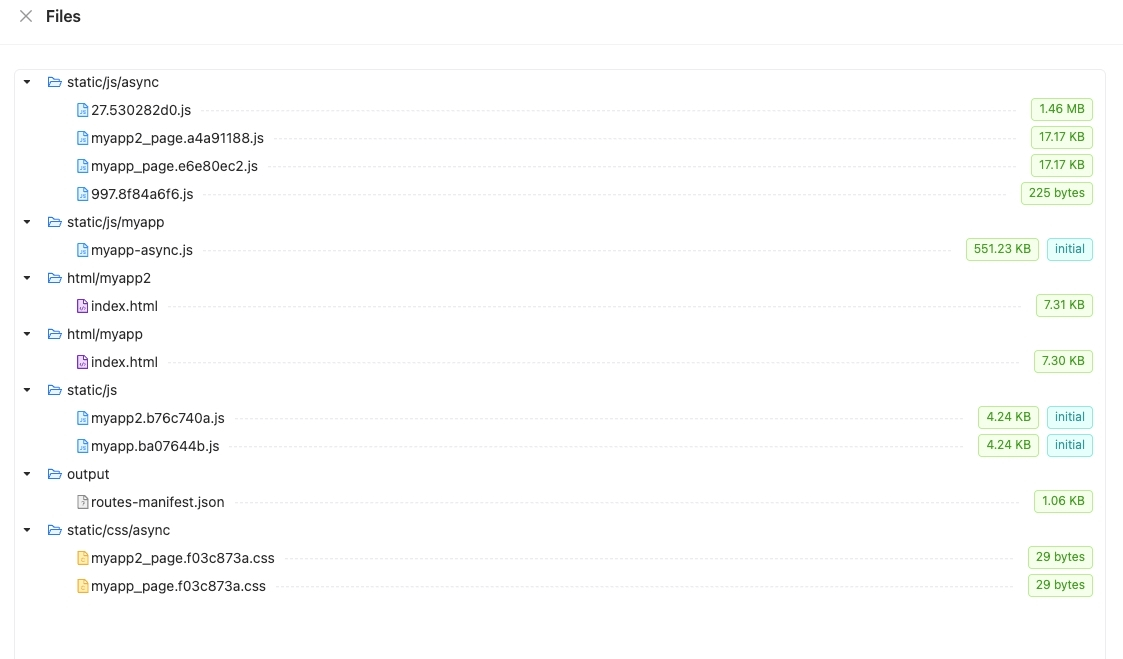
The card also displays the number and total size of different file types. Clicking on the corresponding blue icon will display the list of files, as shown in the following image:
- Initial: Refers to the Chunk being the main chunk of the entry.
Duplicate Packages
If the Duplicate Packages number on the card is greater than 0, you can click to view the details of the duplicate packages. The content is shown in the following image:
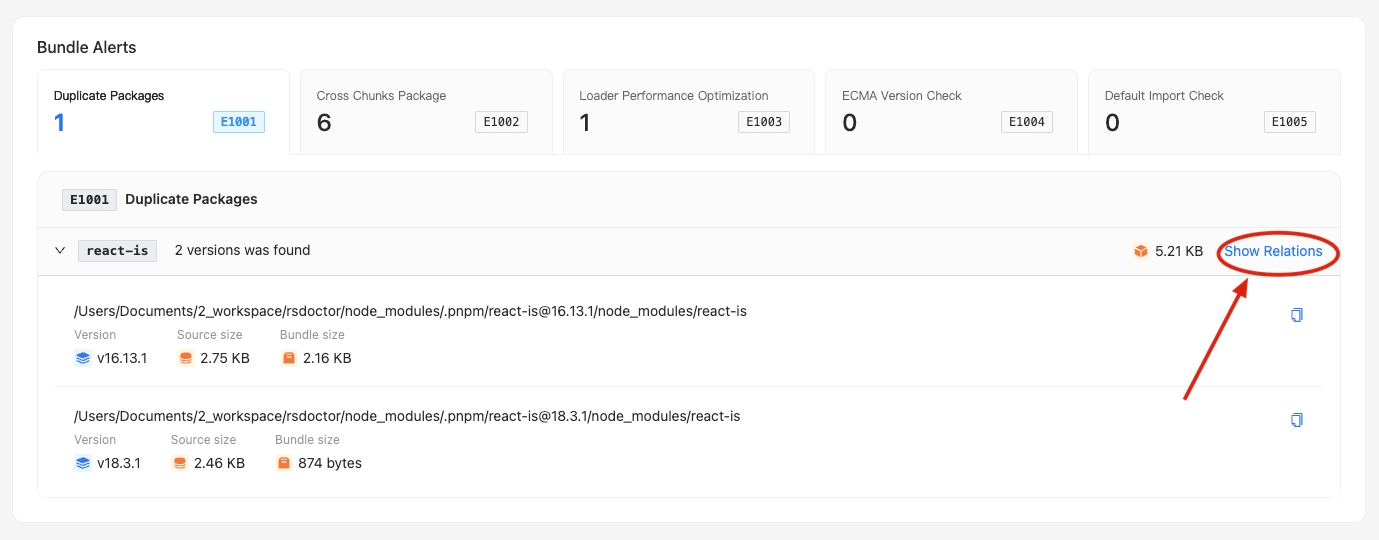
Here, you can see the list of all duplicate packages detected by Rsdoctor in the current build artifacts.